On-Site Viewer
Every sheet sharp at any zoom. Mark up, measure, compare and link sheets.
01 On-Site Foreman
 Built for the foreman, the super and the crew that does the work — not for the office. Plans, takeoff, progress, punch list and layout on the iPad in your hands, with or without signal.
One per connection. We keep no names, no emails and no IP addresses.
MCPYour AI assistant does it through MCP. The app itself isn’t an AI.
On-Site Foreman How it works
The app isn’t an AI: it connects through MCP to the AI assistant you already use. Type to it, or just talk to it out loud, and say:
Say it or type it
“Paint the acoustical grid ceilings blue and the drywall ceilings orange on sheets A1.22A, A1.23A and A1.23B.”
You askOut loud or typed, to the AI assistant you already use.
Your AI asks the appThrough MCP, it has the app read each reflected ceiling plan and find the rooms.
The app paints itThe takeoff shows up on the iPad, live, sheet after sheet.
Sheet index
Every tool opens the same sheet, sharp at any zoom, so what you mark in one is right there in the others.
Every sheet sharp at any zoom. Mark up, measure, compare and link sheets.
01Areas, lengths and counts right on the plan, with the materials calculated for you.
02Production percent on the sheet, room by room, period by period.
03Punch items pinned to the plan: assigned, fixed and reviewed in the field.
04Layout on the plan: control lines, offsets, arcs and dimensions.
05Also in the app
Details
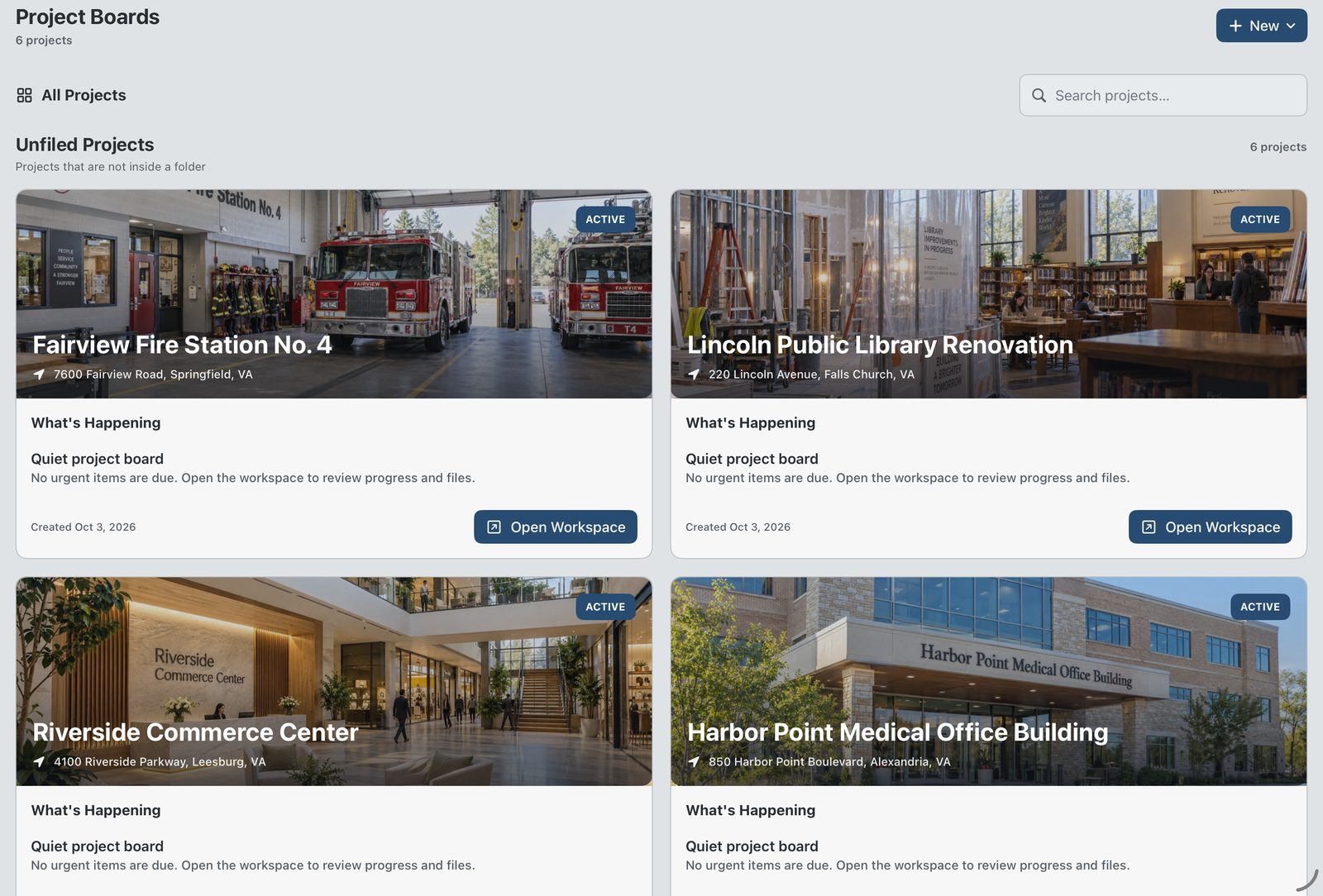
Every job on one board.
NTS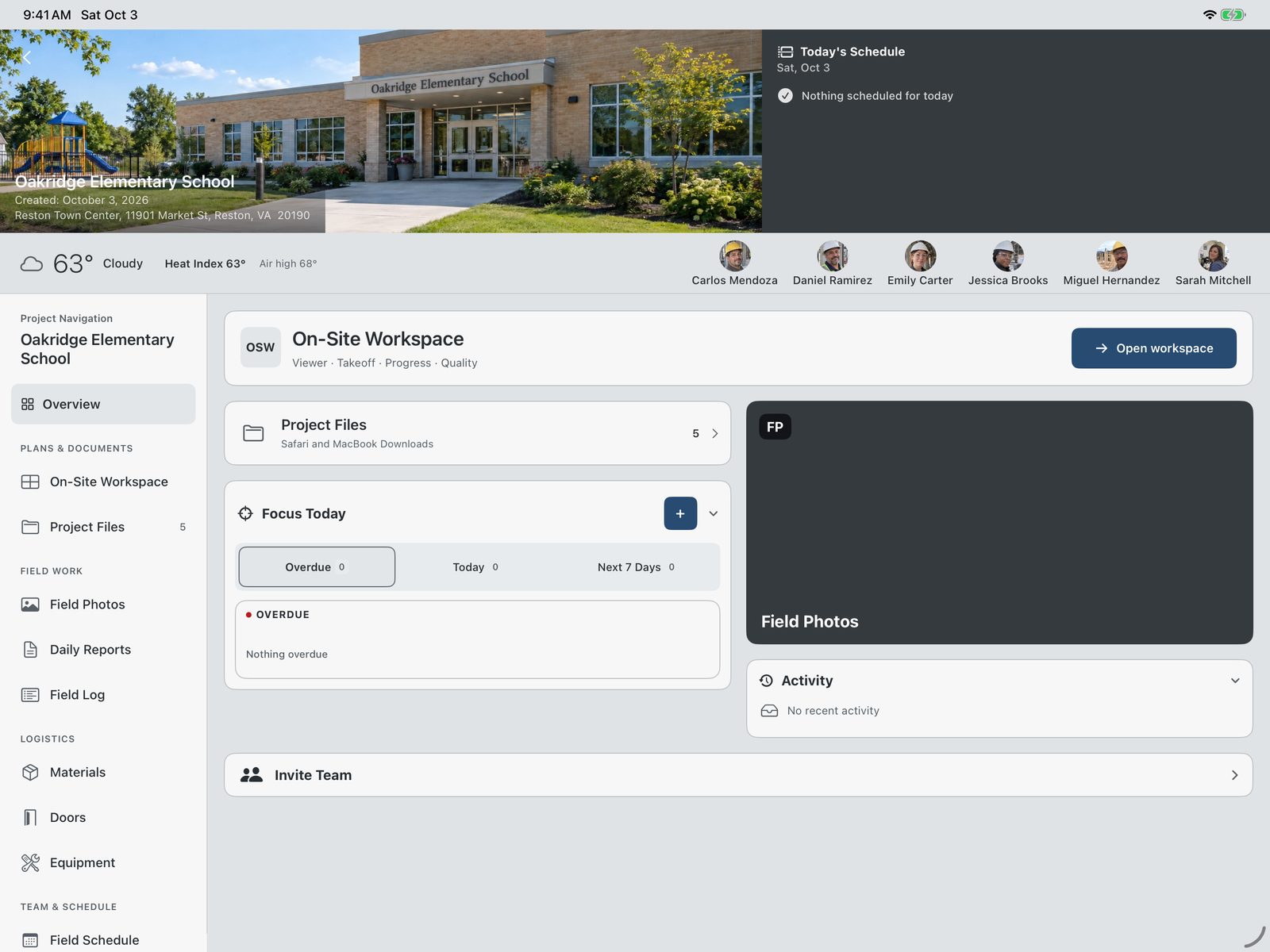
The day of a project: its team, its weather, its work.
NTS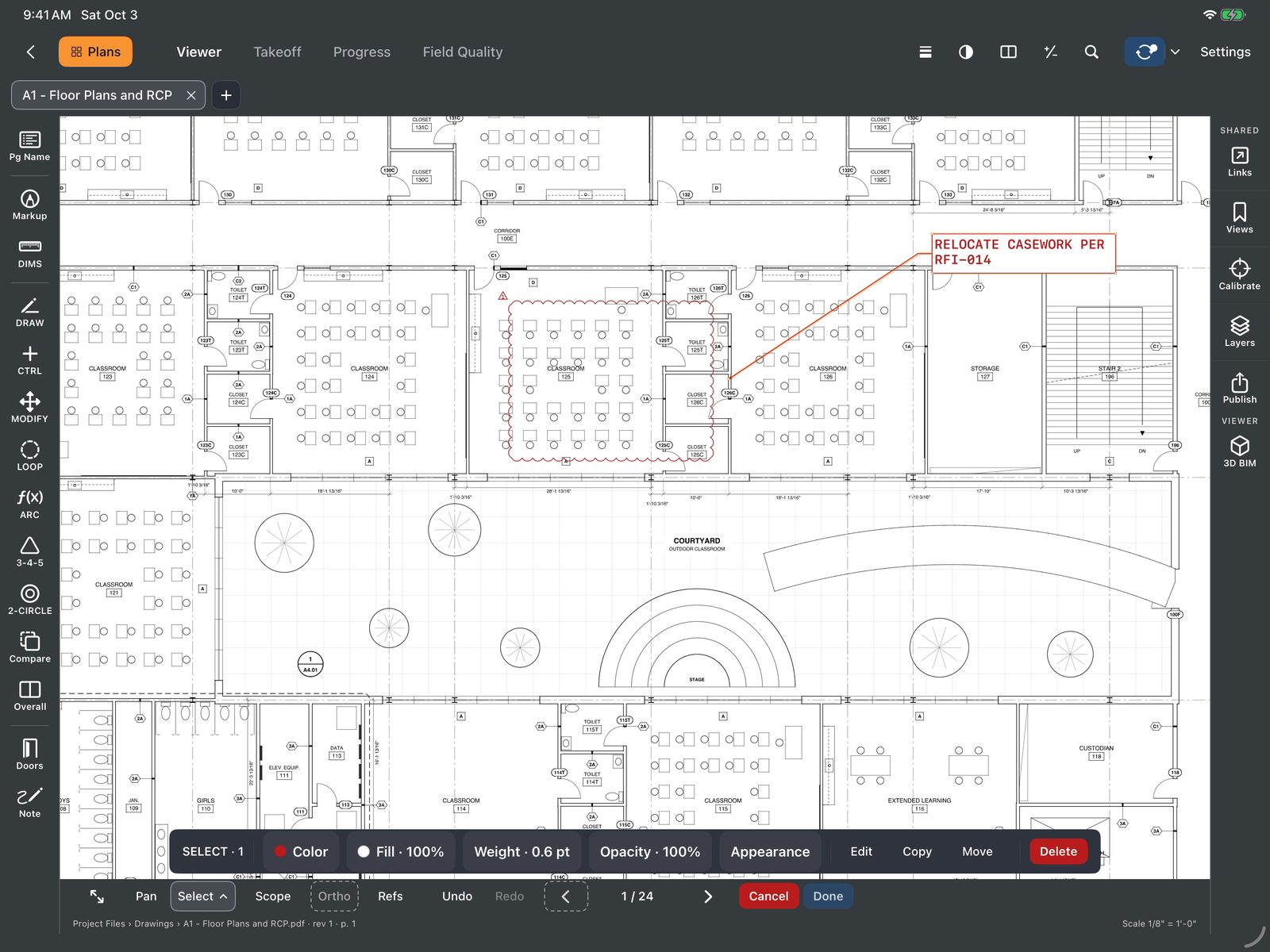
Markup on the sheet, sharp at any zoom.
NTS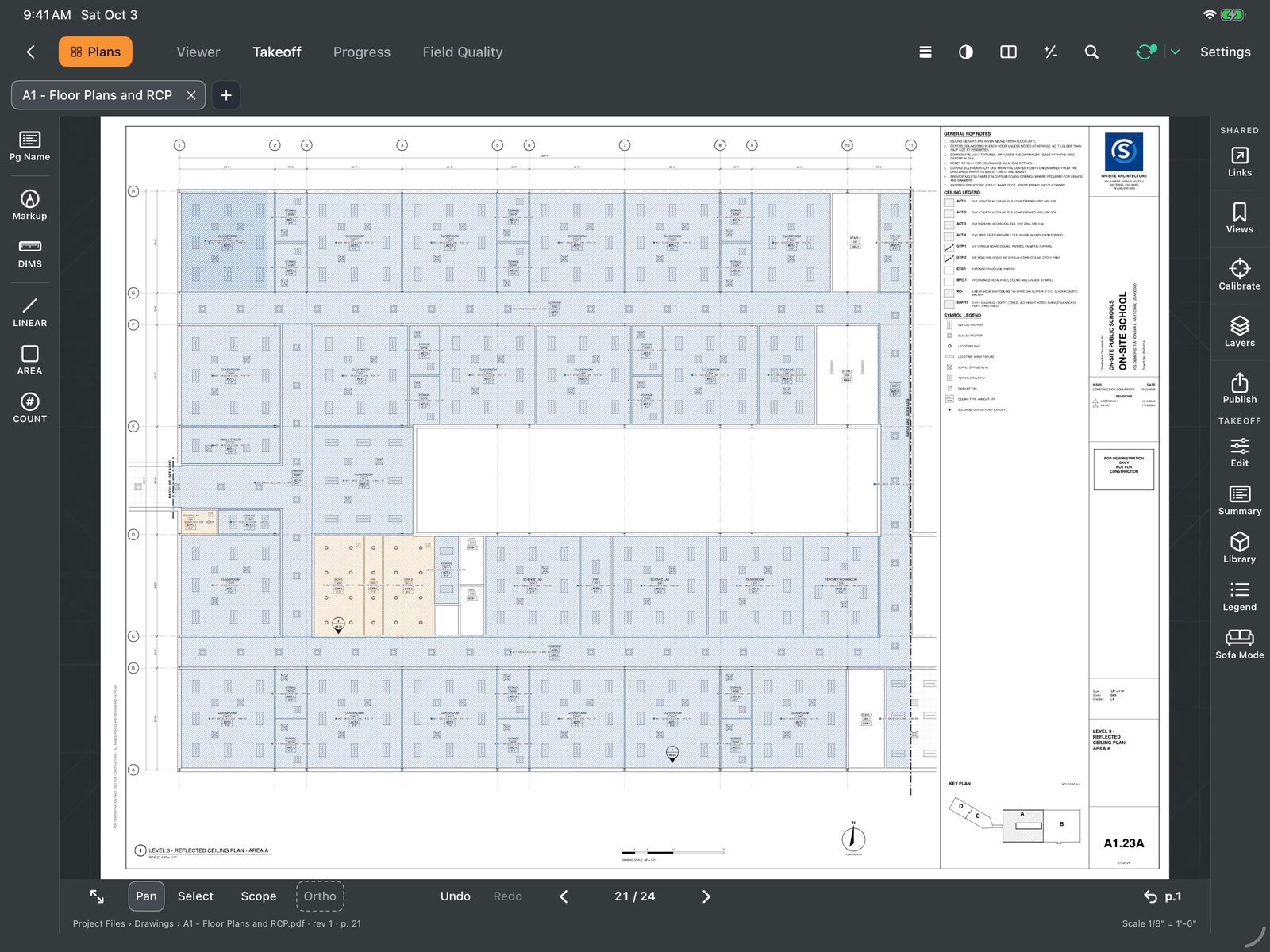
The ceiling takeoff painted through MCP, ready to work.
NTSEarly access
Press the button. When the count tells us the field is ready, we open the doors.
One per connection. We keep no names, no emails and no IP addresses.
Platforms
On-Site Foreman Sheet A0.02 · 2026